
Your activity feed
A chronological log of every action taken within your organisation — connections created, invitations sent, and changes made by team members.
What the Activity page shows
The Activity page tracks recent changes, invitations, and user actions inside your organisation. Access it by clicking Activity in the left sidebar.
The feed is displayed in reverse chronological order — newest events at the top. It's a read-only log that gives Directors and team members visibility into what's happening across the organisation's VERA account.
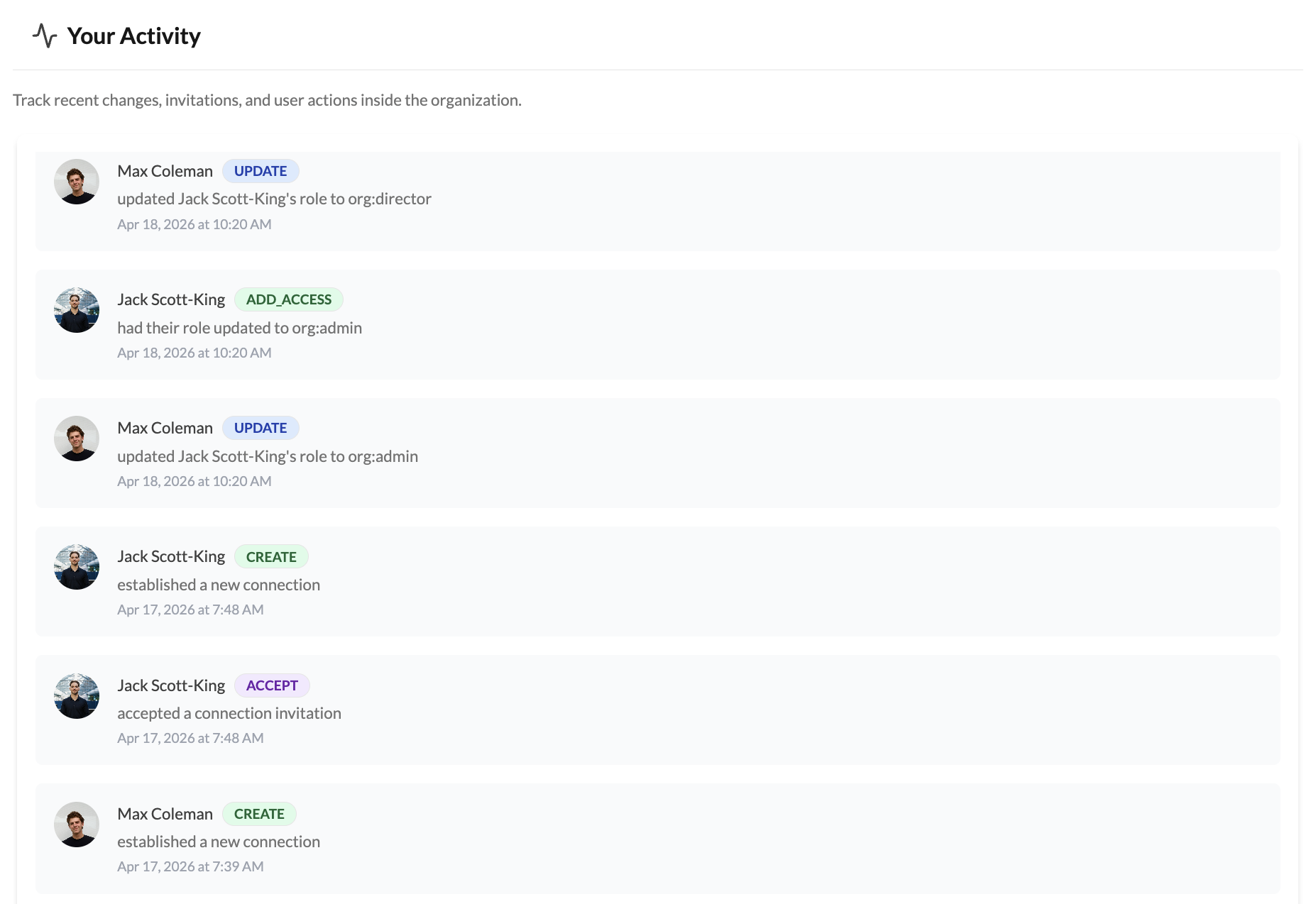
How to read the feed
Each entry in the feed shows three things:
Who — the team member's name and profile photo. This tells you which person in your organisation performed the action.
What — a colour-coded badge indicating the action type, followed by a description:
- CREATE (green) — something was created: a new connection invitation, a new connection established, or a team member invitation sent
- ACCEPT (purple) — a connection invitation was accepted
- DELETE (red) — a connection was deleted or an invitation was revoked
- UPDATE (blue) — updating roles or organisational profile
- ADD-ACCESS (green) — specific member role changed
When — the exact date and time the action occurred.
What gets logged
The feed currently tracks connection-related activity within your organisation:
Connection invitations created — when a team member generates a new invitation link or sends an email invitation to a contact.
Connections established — when a connection is successfully created after an invitation is accepted by either side.
Invitations accepted — when your organisation accepts an incoming connection invitation.
Team member invitations — when someone is invited to join the organisation.
Connections deleted — when a team member removes a connection.
Invitations revoked — when a pending invitation is cancelled before it's accepted.
Why this matters
For organisations with multiple team members, the Activity feed answers the question "who did what and when?" If a connection was deleted that shouldn't have been, or an invitation was sent that you weren't aware of, the feed gives you the audit trail. Every entry is tied to a specific team member, so accountability is clear.
You cannot edit or delete entries in the Activity feed. This is by design — it's your tamper-evident record of organisational activity. If you see an action you didn't expect, review your team members' access in Settings → Members.