
Switching between workspaces
Your VERA account can have multiple workspaces — one personal and one or more organisational. Switch between them any time without logging out.
Why switch workspaces?
Your account gives you access to multiple workspaces, each with its own identity and context:
- Your personal workspace — verified as an individual, with your personal credentials and contacts
- Your organisation workspace(s) — the business entity, with business credentials and team contacts
Some contacts will be connected to your personal workspace. Others will be connected to your organisation. Switching lets you act in the right context.
How to switch
Find the workspace switcher
Click your name or avatar at the top-left of the sidebar. A dropdown appears showing your personal workspace and any organisations you belong to.
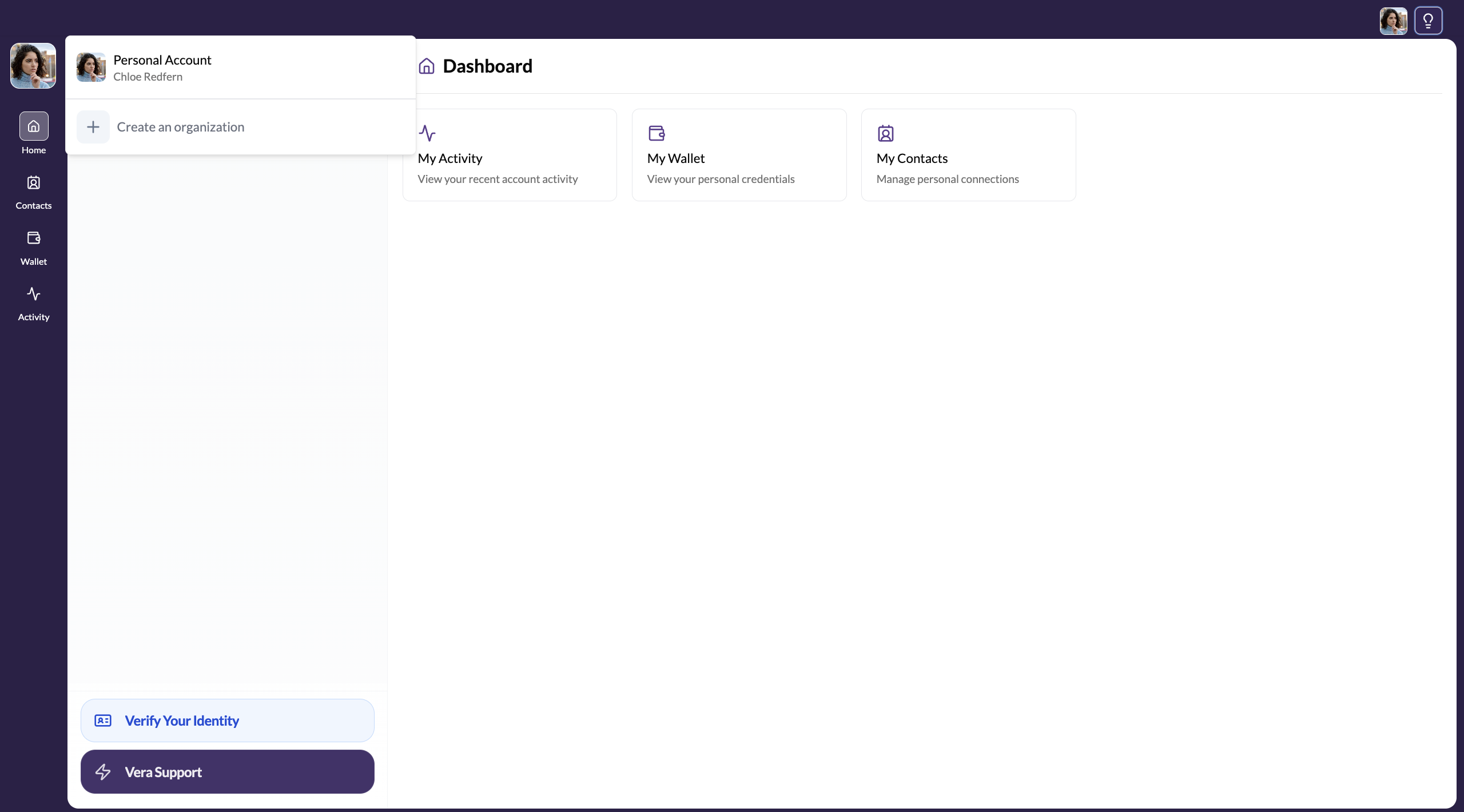
Select the workspace to switch to
Click the workspace you want. The whole interface updates — contacts, credentials, channels, and settings all reflect the selected workspace.
You're now on the selected workspace
The header and sidebar now show the organisation name and logo (or your personal details, if you switched back). All actions — sending invites, sharing credentials — happen in the context of the currently active workspace.
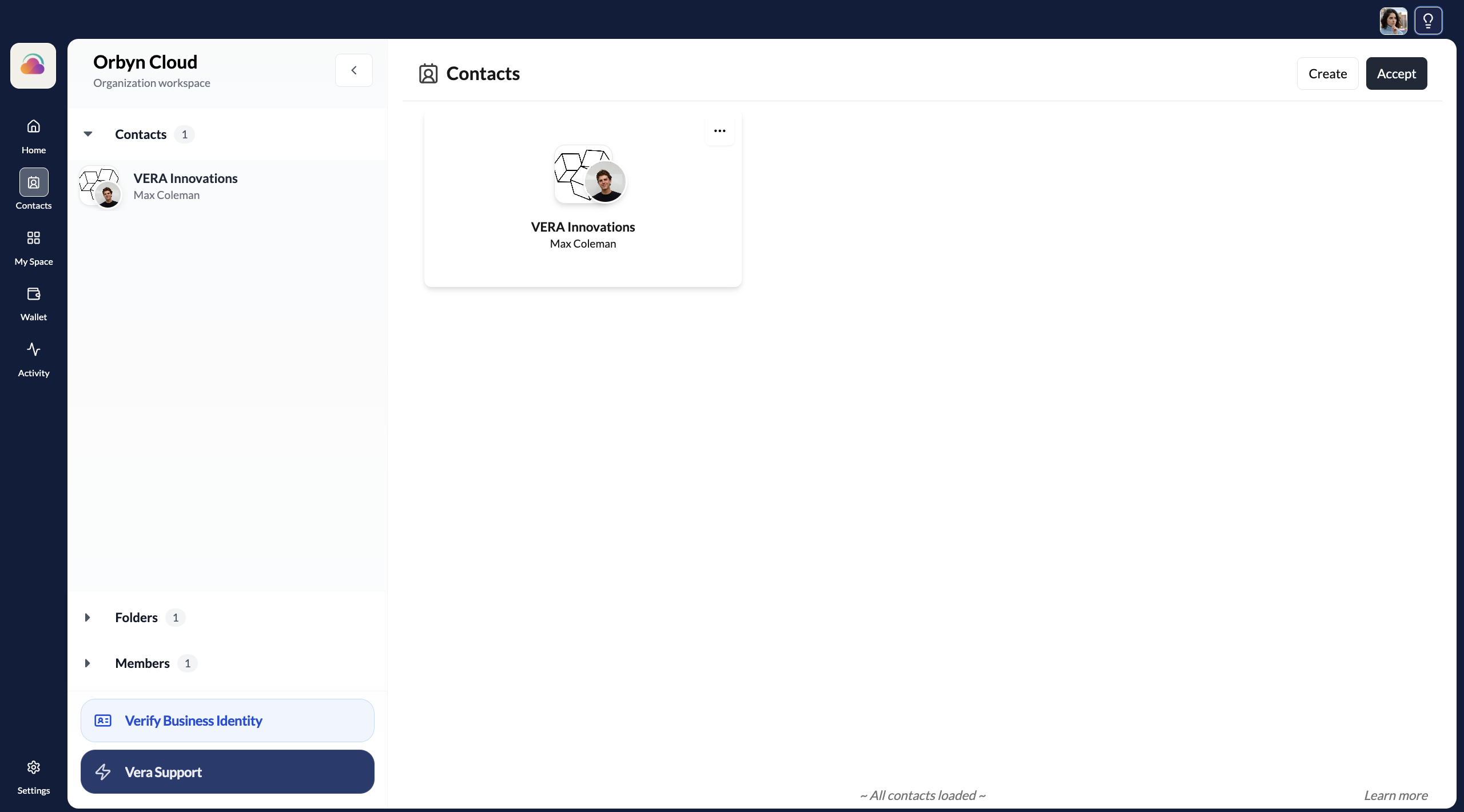
When you send a connection invitation from your organisation workspace, the recipient sees your organisation name and logo — not your personal name. Make sure you're on the right workspace before inviting contacts.