
Secure document storage
My Space is your private, encrypted area for documents and notes. Files stored here live in your vault — not on a shared server.
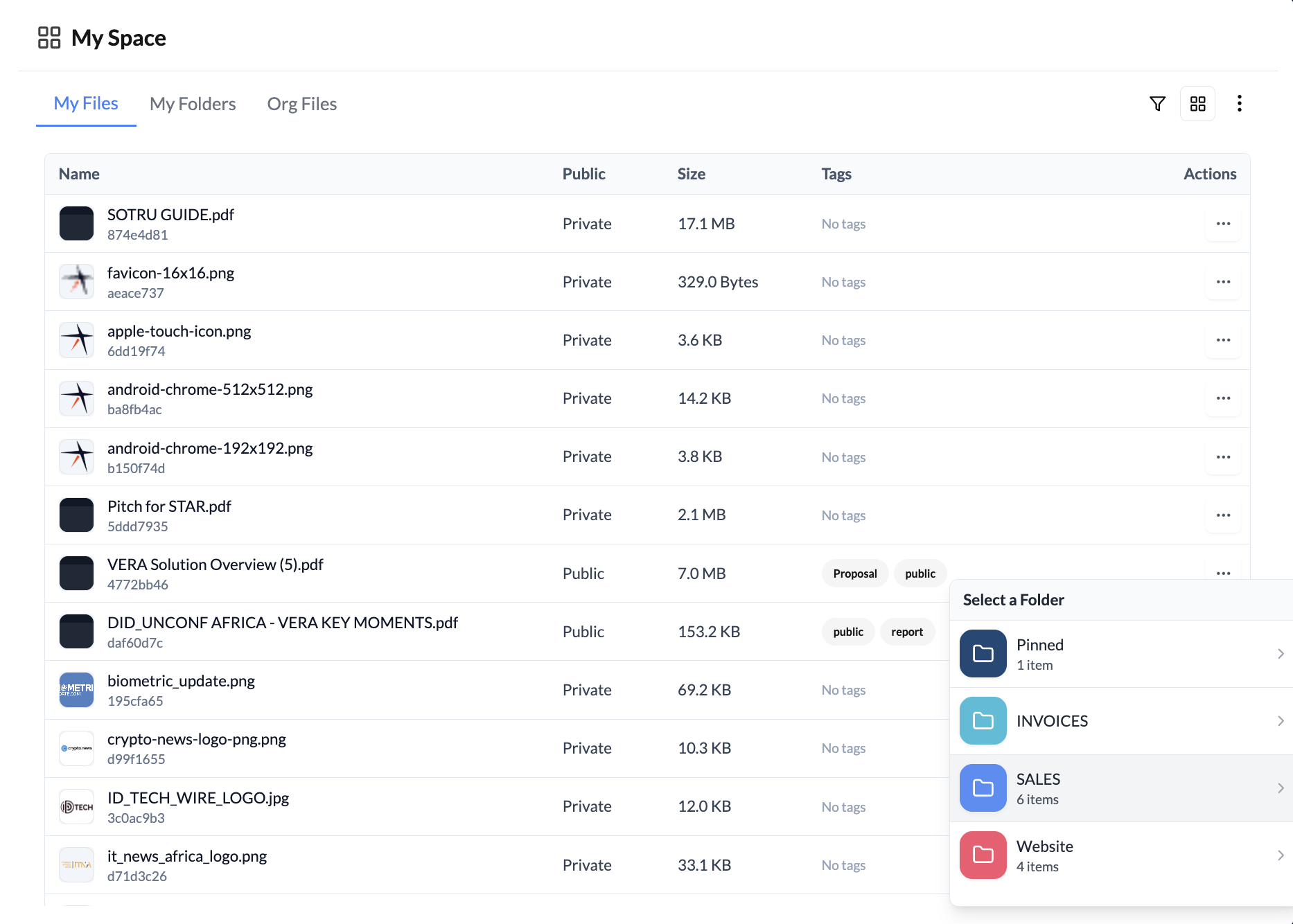
What My Space is for
My Space is your personal encrypted storage on VERA. Use it to:
- Store documents you want to keep private but accessible across devices
- Keep reference files you share frequently with contacts
- Organise materials related to specific contacts or business relationships
Files in My Space are encrypted with your vault password. VERA cannot access them.
Uploading documents
To upload a document:
- Go to My Space in the left sidebar
- Click Upload and select a file from your device
- Optionally, organise it into a folder or tag it with a contact
Supported file types include PDF, images, Word documents, spreadsheets, and most common formats. There's no hard size limit per file, but your overall vault storage has a limit based on your plan.
Organising your files
Use folders to keep My Space organised. Create folders for clients, projects, or categories. You can also search files by name using the search bar at the top of My Space.
Store documents you commonly share — like your company profile, NDAs, or terms of service — in My Space so they're always a few clicks away when a contact asks for them.